Start with a Dub Pack.
A Dub Pack brings a scene and its dialogue together. Choose a short clip with a small cast, and check that the pack works with your game version.
FREE ONLINE DUBBING
The Choicer Voicer is a voice-impression game where you record dialogue for a video scene and watch the finished dub. The Voicer Choicer lets you do the dubbing in your browser, free.
Try For FreeChoose a scene. Make it yours.
 “You said you would be here.”
HOW THE CHOICER VOICER WORKS
One scene. Your own voice. Follow the Dub Mode workflow below.
 ORIGINAL SCENE“You said you would be here.”
Choose a Dub Pack and listen to the line. Notice the character’s timing and expression.
 YOUR TURNSame words. Your delivery.
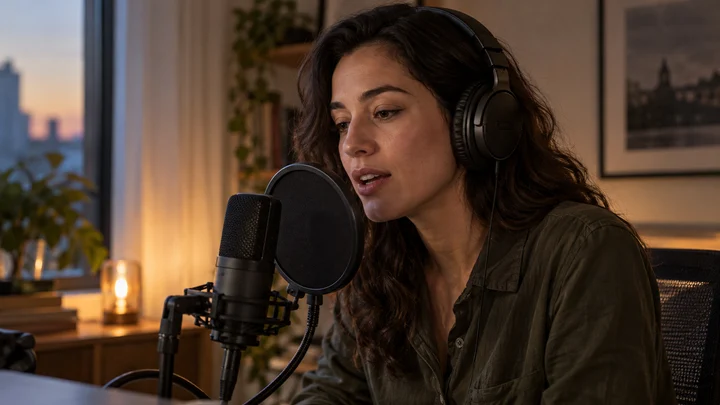
Say it into your microphone. Try a dramatic, surprised, or completely deadpan version.
YOUR DUBFinish recording all the lines. Dub Mode then plays your recordings over the pack’s video, so you can watch the completed scene.
FREE · NO ACCOUNT NEEDED
Choose a video, record your voice, and download your finished dub.
MP4 or WebM recommended · 50 MB maximum. Direct links must allow browser downloads; YouTube and other watch-page links are not supported.
“For a moment, the rest of the world can wait.”
Sample: MDN CC0 video collection.
Record from the preview’s current position. Your microphone replaces the original soundtrack in the exported clip.
Loading the scene…
No account. Up to 30 seconds per take. Your video and microphone recording stay in this browser tab and are never uploaded. Download your dub to keep it after you leave or refresh.
Record from any point in your video, up to 30 seconds. The exported MP4 or WebM contains the scene and your microphone audio; the original soundtrack is replaced. Direct links contact the video host and must permit browser downloads.
FIND YOUR WAY TO PLAY
A Dub Pack brings a scene and its dialogue together. Choose a short clip with a small cast, and check that the pack works with your game version.
Listen for pauses and emphasis. In Dub Mode, you can retake lines before finishing, but playback happens after all lines are recorded. Watch the result and try a different delivery next round.
The original game supports local multiplayer for up to four people. Take turns performing the lines and watch the completed dub together.
A FEW USEFUL ANSWERS
Free online play, downloads, Dub Packs, multiplayer, device support, and microphone basics.
The Choicer Voicer is a voice-impression game: you perform audio prompts in your own voice, and Dub Mode lets you voice over a video scene. The Voicer Choicer brings that dubbing step to your browser, free.
Dubbing runs here in your browser with no account and nothing to install. Choose a video or load a direct video link, record your voice, and download the combined video. The original desktop game is a separate paid download.
The original Windows and Linux build is a paid download from the game’s own store page. Nothing has to be installed to dub a scene at The Voicer Choicer; recording and export happen in the browser.
The original desktop game supports Windows and Linux, not macOS or mobile. Dubbing at The Voicer Choicer runs in the browser, so a Mac works; on phones it depends on your browser’s microphone recording support. An Android APK is not needed.
Yes. Voice Packs are built from audio clips, and Dub Packs add a video plus timing information. Follow the instructions for your game version and use media you are allowed to share.
Yes, with a direct video file link that permits browser downloads. YouTube, TikTok, and other watch-page links are not video files. If a link cannot be loaded, choose the video file from your device instead. Files can be up to 50 MB; a take can be up to 30 seconds.
No account. Up to 30 seconds per take. Your video and microphone recording stay in this browser tab and are never uploaded. Download your dub to keep it after you leave or refresh.
The original desktop game supports local multiplayer for up to four people taking turns at one machine. Dubbing here is single-user: you record your own take and download it. There are no online rooms or scoring.
Check the selected input, mute switch, and microphone permissions in your browser and system settings. Record one short line and listen back. Headphones help keep the reference audio out of your recording.